

Understanding HTML Tags and Elements
A beginner-friendly guide to the basic building blocks that give every web page its structure

Introduction
Jab hum koi website dekhte hain, humein text, images, buttons, aur layout dikhai deta hai.
Lekin browser ke andar page ki basic structure kis cheez se banti hai?
HTML
HTML ko aksar webpage ka skeleton bola jaata hai.
Aur us skeleton ke building blocks hote hain:
tags
elements
Beginners ke liye ye dono words same lag sakte hain, but technically inka meaning alag hota hai.
What HTML Is and Why We Use It
HTML ka full form hai HyperText Markup Language.
Simple words mein:
HTML browser ko batata hai page par kya hai.
Example:
ye heading hai
ye paragraph hai
ye image hai
ye link hai
Yani HTML design nahi karta.
HTML structure deta hai.
What an HTML Tag Is
HTML tag ek markup syntax hota hai jo browser ko content ka type batata hai.
Example:
<p>
Ye ek tag hai.
Ya:
</p>
Ye closing tag hai.
Tag ko simple analogy se samjho:
Jaise sentence mein punctuation ya labels hote hain jo batate hain content ka role kya hai, waise HTML tags browser ko batate hain content ko kaise samajhna hai.
Opening Tag, Closing Tag, and Content
Ek simple example:
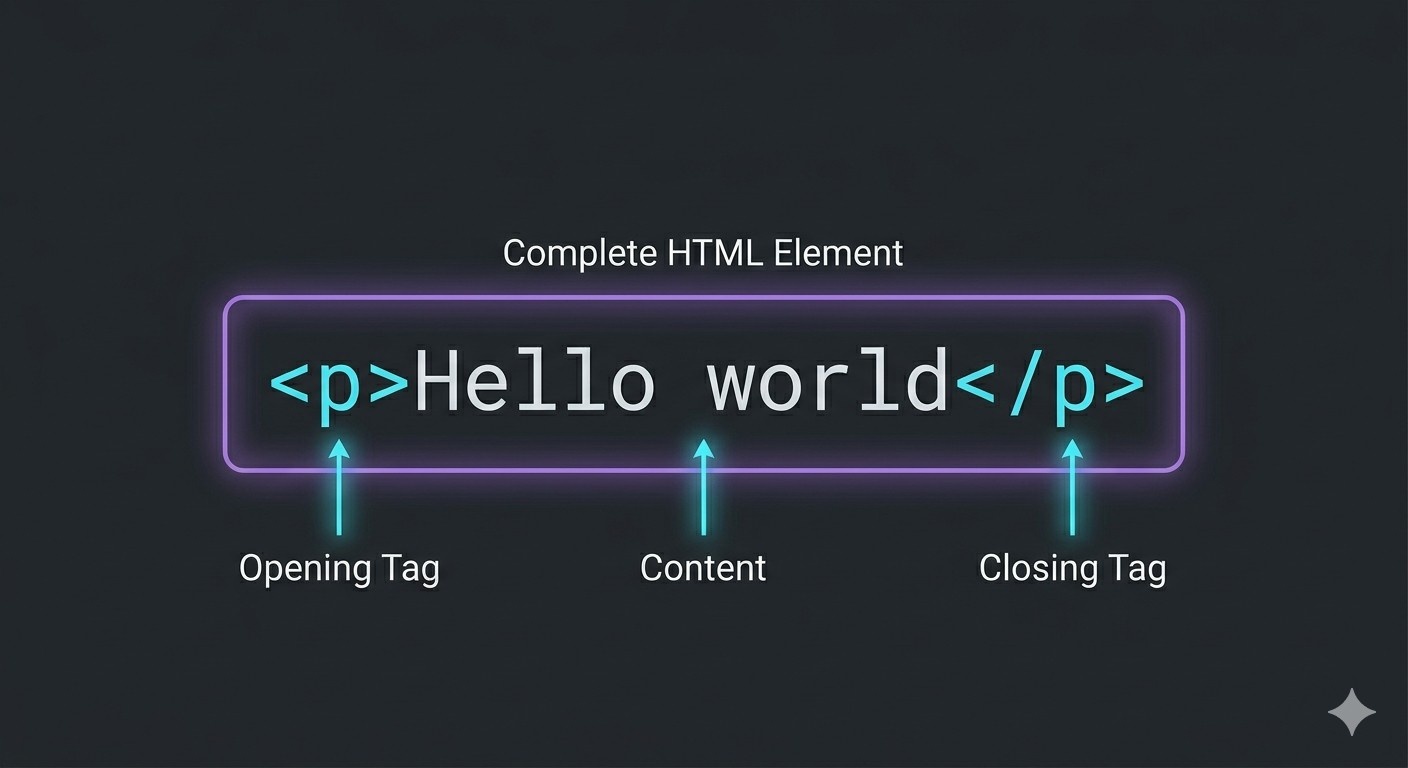
<p>Hello world</p>
Yahan:
<p>= opening tagHello world= content</p>= closing tag
Ye beginner level par sabse important basic structure hai.
What an HTML Element Means
Element generally poori complete unit ko refer karta hai.
Example:
<p>Hello world</p>
Ye poora paragraph ek HTML element hai.
Simple memory trick:
tag = part
element = complete unit
Ye difference chhota lagta hai, but later DOM aur browser parsing samajhne mein help karta hai.
A Simple Box Analogy
HTML element ko ek box ki tarah socho.
opening tag = box start
content = box ke andar ki cheez
closing tag = box end
Ye analogy beginners ke liye bahut useful hoti hai because HTML kaafi visual structure language hai.
Self-Closing or Void Elements
Har HTML element ke paas closing tag nahi hota.
Kuch elements aise hote hain jo content wrap nahi karte.
Inhe commonly void elements kaha jaata hai.
Examples:
<img><br><hr><input>
Ye content ke bina kaam karte hain, isliye inka structure normal paired elements se different hota hai.
Commonly Used HTML Tags
Beginner level par kuch bahut common tags hote hain:
Heading
<h1>Welcome</h1>
Paragraph
<p>This is a paragraph.</p>
Generic Container
<div>Box content</div>
Inline Container
<span>Small inline text</span>
In chaar examples se beginner ko kaafi basic structure samajh aa jaata hai.
Block-Level vs Inline Elements
Ye bhi important beginner concept hai.
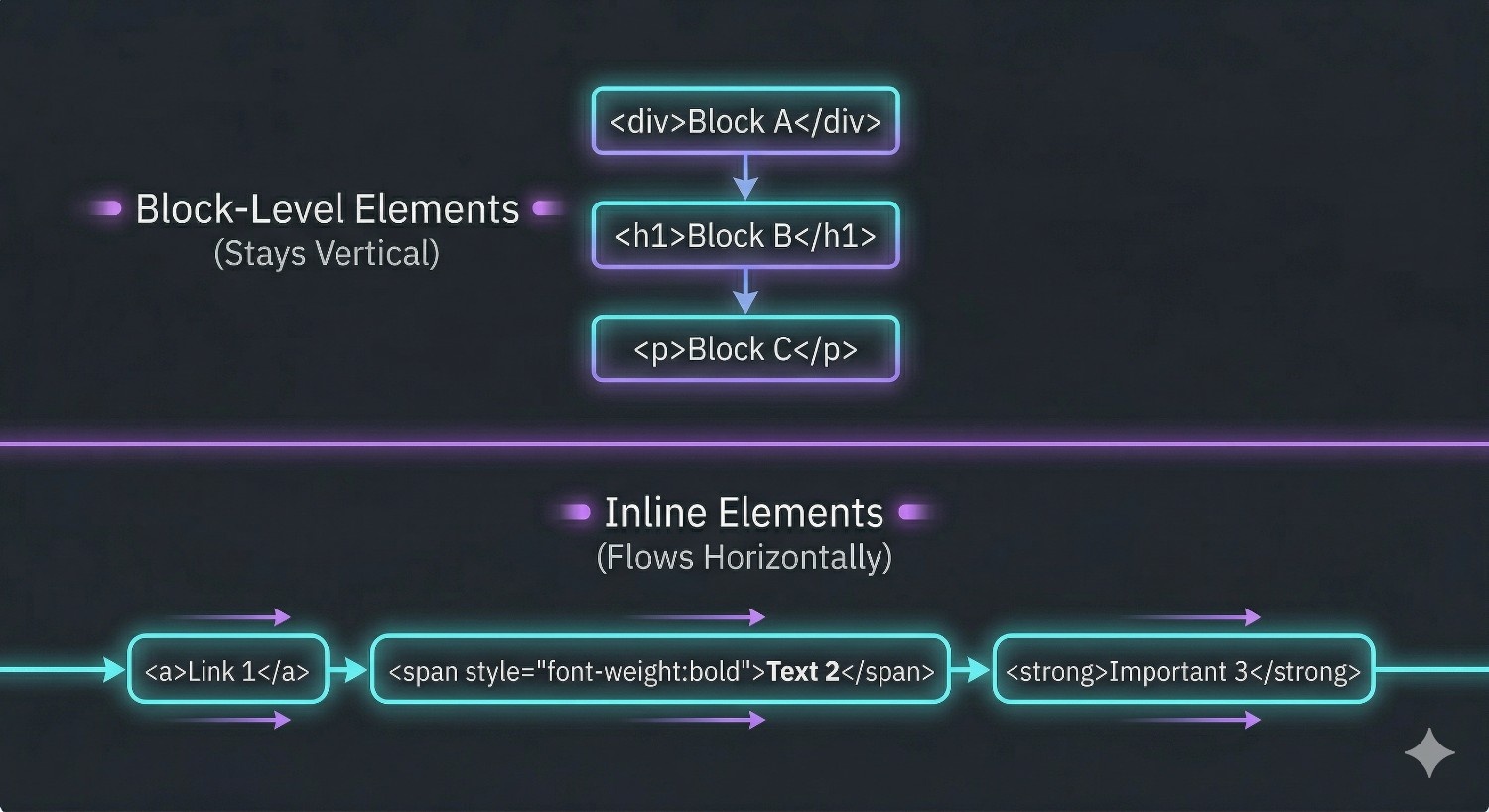
Block-Level Elements
Ye generally nayi line se start hote hain aur full width jaisi behavior show karte hain.
Examples:
<div><p><h1>
Inline Elements
Ye usually line ke andar hi rehte hain.
Examples:
<span><a>
Simple words mein:
block = alag box jaisa
inline = line ke andar chhota piece jaisa
Tag vs Element: One Last Clear Example
Example:
<h1>Chaicode</h1>
Yahan:
<h1>ek tag hai</h1>ek tag haipoora
<h1>Chaicode</h1>ek element hai
Ye distinction beginner ke liye enough hai.
Why This Matters in Real Learning
HTML tags aur elements samajhna important hai because:
CSS inhi elements ko style karta hai
JavaScript inhi elements ko target karta hai
browser inhi structures ko parse karke DOM banata hai
Yani HTML ko lightly lena easy hota hai, but strong frontend foundation yahin se banti hai.
A Small Suggestion for Learners
Jab tum koi webpage dekho, browser dev tools mein inspect karke HTML structure dekhne ki habit banao.
Ye beginner ke liye bahut useful practice hoti hai.
Tab HTML theory se zyada real lagti hai.
Summary
HTML webpage ka skeleton hota hai
tag browser ko content type batata hai
opening tag, content, aur closing tag milkar element banate hain
kuch elements void hote hain, jaise
imgaurbrblock-level aur inline elements ka behavior alag hota hai
p,h1,div, andspanbeginner ke liye common important tags hain
Final Thought
HTML easy lag sakta hai, but uski clarity later CSS, JavaScript, aur browser internals ko samajhne mein bahut help karti hai.
Isliye tags aur elements ka difference small topic nahi, foundation topic hai.


